在线 AI 纸张动画制作器
当你想把一张图片快速变成纸张动画时,可以从这个主工作流开始。上传照片,选择剪纸效果或折叠展开动画,再导出适合社媒、广告、产品页或设计稿的文件。
这个 paper animator 适合做什么
这个页面承接最核心的 paper animator 和 paper animation maker 需求:把图片变成 animated paper,让纸张边缘更自然,同时提供实用的导出格式,而不是让你陷入复杂的视频时间线。
3 步工作流
步骤 1
Upload a clear image
Start with a JPG or PNG where the subject is easy to read. Clean edges help the paper cutout effect and background removal steps produce a stronger result.
步骤 2
Choose the paper animation style
Use cutout styling for torn-paper depth, foldout motion for a reveal, or a softer animated paper look when the image needs gentle movement.
步骤 3
Export for the channel
Download MP4 for video platforms, GIF for lightweight loops, transparent PNG for design work, or green screen output for later compositing.
步骤 4
上传清晰图片
使用 JPG 或 PNG,主体越清楚,剪纸效果、背景移除和纸张边缘越容易做得自然。
步骤 5
选择纸张动画风格
想要明显的纸张剪影就选 cutout,想要揭示感就选 foldout,也可以选择更柔和的 animated paper 动效。
步骤 6
按渠道导出
发布视频用 MP4,循环预览用 GIF,设计合成用透明 PNG,后期剪辑可用绿幕输出。
效果预览
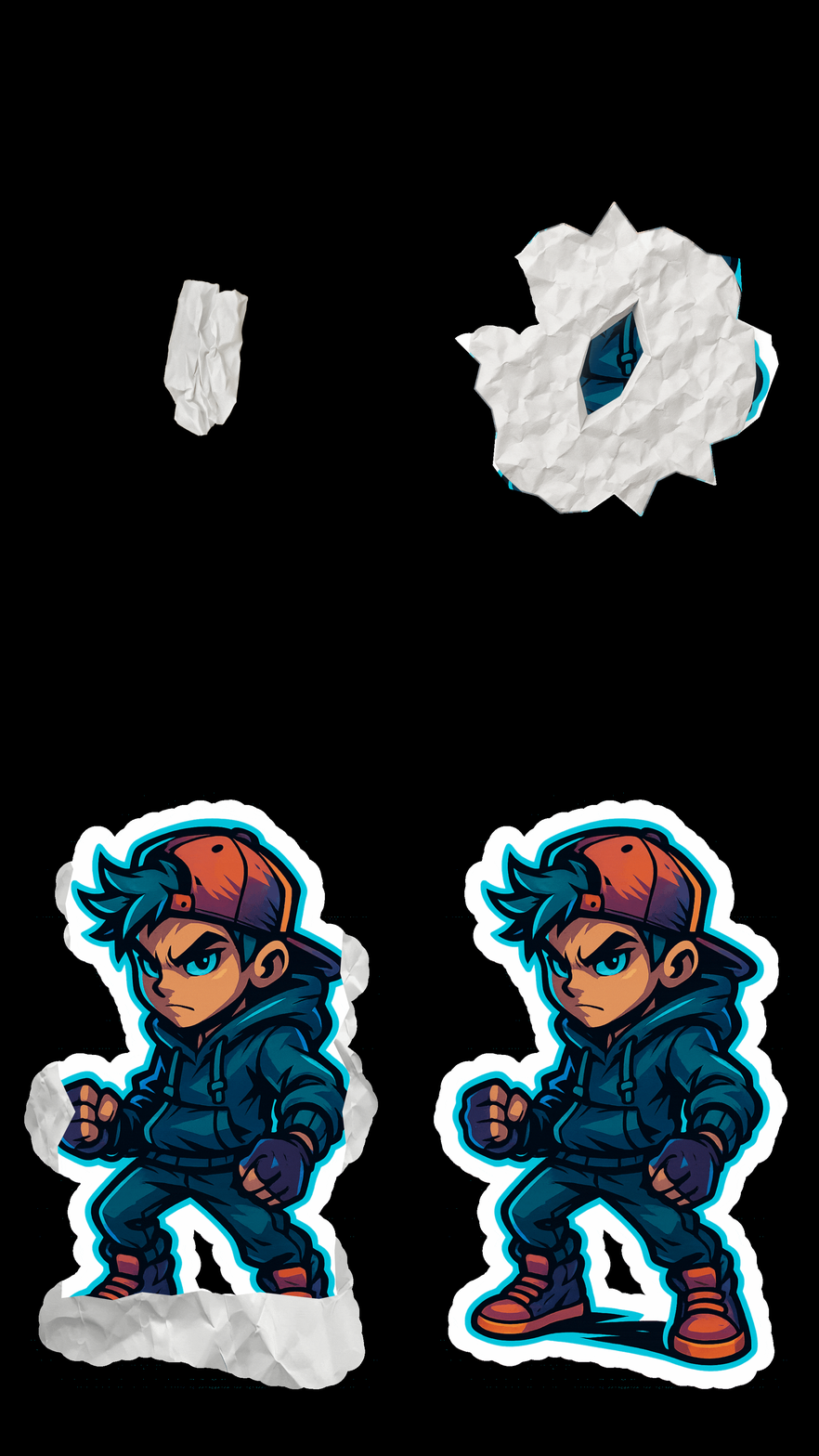
纸张动画制作器的紧凑预览,用来检查边缘质量、折叠动效和导出风格。
生成前的实用建议
- Use a subject with enough contrast from the background. It gives the paper animator cleaner boundaries and reduces manual cleanup.
- Pick cutout motion when the image needs a bold paper cutout effect; pick foldout motion when the story depends on a reveal.
- Keep the first generation simple. Once the animated paper direction works, create MP4, GIF, PNG, or green screen versions from the same visual idea.
- For ads and reels, make the first second readable. A strong paper animation hook matters more than adding too many effects.
- 优先选择主体和背景对比清楚的图片,这会让 paper animator 更容易识别边界。
- 需要强视觉冲击时选剪纸效果,需要故事揭示时选折叠展开动画。
- 先做一个简单版本确认方向,再从同一视觉方案导出 MP4、GIF、PNG 或绿幕版本。
- 用于广告或 Reels 时,前 1 秒要足够清楚,不要一次叠加太多效果。
为什么这是合适的入口
- It connects the broad paper animator search intent to the actual creation flow.
- It explains the difference between cutout, foldout, transparent export, and green screen workflows.
- It keeps the page useful for creators who need a result, not a long software tutorial.
- 它把广义 paper animator 搜索需求直接连接到制作流程。
- 它解释剪纸效果、折叠展开、透明导出和绿幕导出的区别。
- 它适合需要实际结果的创作者,而不是只看软件教程的人。
适用场景
导出选项
- MP4 for TikTok, Reels, Shorts, ads, and landing page video sections.
- GIF for short loops, lightweight previews, and quick approvals.
- Transparent PNG or green screen output when the paper animation needs to fit another layout.
- MP4 适合 TikTok、Reels、Shorts、广告和落地页视频区域。
- GIF 适合短循环、轻量预览和团队快速确认。
- 透明 PNG 或绿幕输出适合放进其他设计和视频合成流程。
常见问题
What is a paper animation maker?
A paper animation maker turns a still image into animated paper with torn edges, paper texture, cutout depth, or foldout motion.
Is Paper Animator different from a normal video editor?
Yes. A video editor gives you a timeline. Paper Animator focuses on the specific paper animation workflow, so you can get a result faster.
Can I create a paper cutout effect and a foldout animation from the same photo?
Yes. Start from the same image and generate different versions depending on whether you need a cutout look or a foldout reveal.
What export format should I use?
Use MP4 for publishing, GIF for loops, transparent PNG for design assets, and green screen output for compositing in another editor.
Do I need animation experience?
No. The workflow is built for people who need paper animation from a photo without learning keyframes or masking first.
什么是 paper animation maker?
它是把静态图片变成纸张动画的工具,可以生成撕纸边缘、纸张纹理、剪纸深度或折叠展开动效。
Paper Animator 和普通视频剪辑软件有什么不同?
普通剪辑软件提供时间线;Paper Animator 专注纸张动画工作流,因此更适合快速从图片得到结果。
同一张照片能做剪纸效果和折叠动画吗?
可以。同一张图片可以生成不同版本,分别用于 paper cutout effect 或 paper foldout animation。
应该选择什么导出格式?
发布用 MP4,循环展示用 GIF,设计合成用透明 PNG,视频后期合成用绿幕输出。
需要动画经验吗?
不需要。这个流程面向想从照片生成纸张动画、但不想先学习关键帧和遮罩的人。
相关指南
开始制作纸张动画
打开编辑器,上传一张图片,测试完整 paper animator 工作流。