在线把照片变成纸张动画
如果你的起点是一张照片,这个工作流会更直接:上传图片,必要时先做背景移除,再选择纸张动画风格,最后导出到社媒、广告或设计工作流。
照片工作流解决什么问题
照片生成纸张动画适合人物、产品、宠物、Logo 和生活方式图片。它比静态图更有动感,又不需要完整视频剪辑流程。
3 步工作流
步骤 1
Choose a photo with a clear subject
Images with clean contrast work best. If the background is busy, use background removal first to make the animated paper edge easier to read.
步骤 2
Generate the paper motion
Apply paper cutout styling, foldout animation, or a softer animated paper effect depending on the story you want the photo to tell.
步骤 3
Export for your next step
Download a video for publishing, a GIF for preview, or transparent assets when the paper animation needs to sit inside another design.
步骤 4
选择主体清楚的照片
主体边缘越清楚,背景移除和纸张剪纸效果越稳定。
步骤 5
生成纸张动效
根据内容选择 paper cutout effect、foldout 动画或更柔和的 animated paper 效果。
步骤 6
导出并发布
发布用视频,预览用 GIF,需要继续设计时导出透明 PNG 或绿幕素材。
效果预览
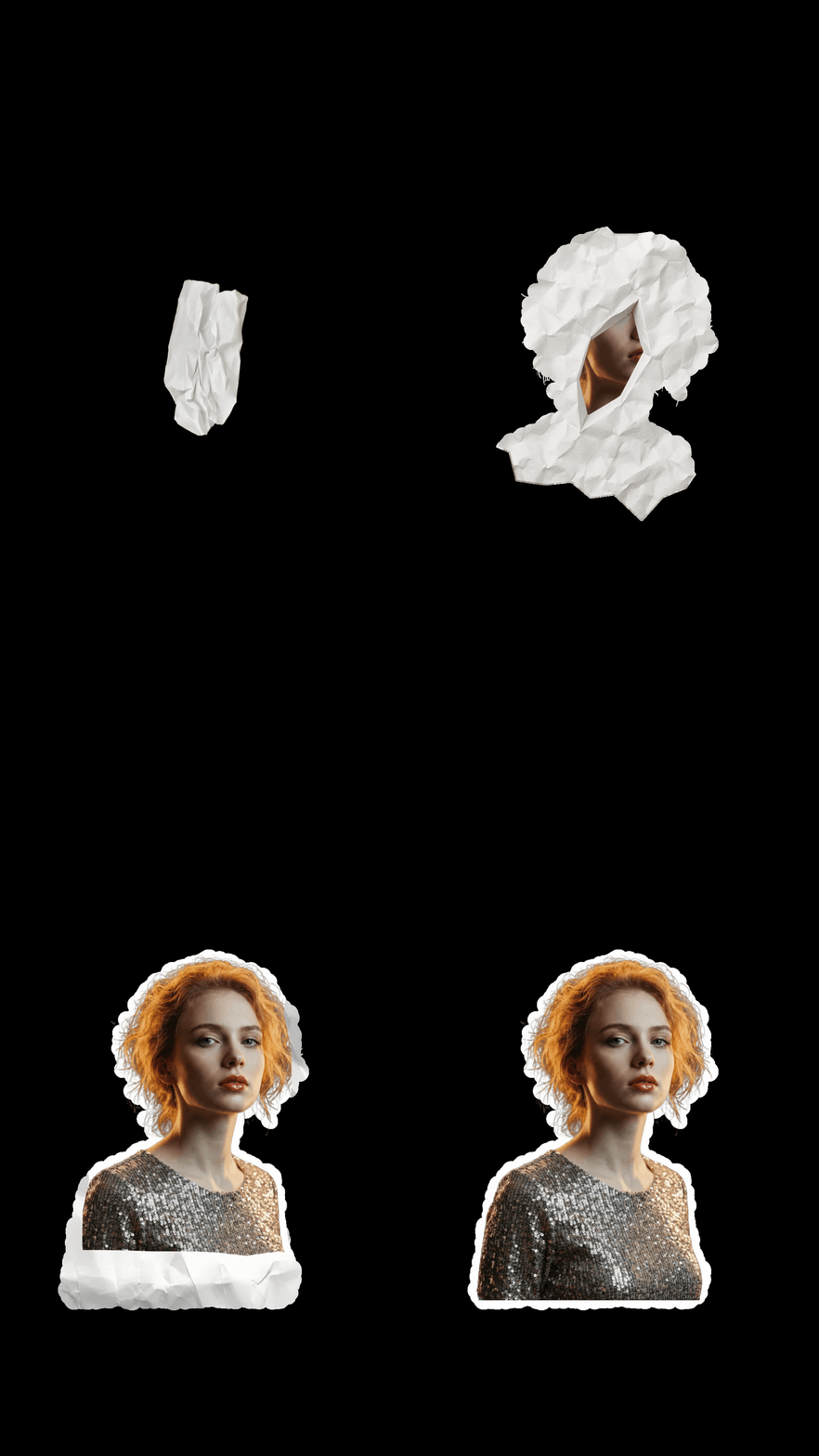
单张照片转换成纸张动画的预览,适合判断主体边缘和动效方向。
照片准备建议
- Use the highest resolution version you have. Better source detail gives the paper cutout effect more believable edges.
- Crop around the subject before upload if the scene has distracting background areas.
- For portraits and products, background removal usually improves the final paper animation more than adding extra effects.
- If you plan to place the result into another edit, generate a transparent PNG or green screen version while the visual direction is fresh.
- 尽量使用高分辨率照片,纸张边缘会更自然。
- 背景复杂时先裁切或做 background removal,减少干扰。
- 人物和产品图通常比风景图更适合做纸张动画。
- 如果后续要合成到其他视频里,提前导出透明 PNG 或绿幕版本。
为什么适合照片工作流
- It answers the common question: can one photo become paper animation?
- It connects photo upload, background removal, cutout styling, and export choices in one flow.
- It works for quick creator posts as well as product and campaign visuals.
- 直接回答一张照片能否生成 paper animation 的问题。
- 把上传、背景移除、剪纸风格和导出放在同一流程里。
- 适合创作者内容,也适合产品和广告素材。
适用场景
导出选项
- MP4 when the final output needs to publish as video.
- GIF for short loops, previews, and lightweight embeds.
- Transparent PNG or green screen when the photo animation needs compositing.
- MP4 适合最终发布为视频。
- GIF 适合短循环和快速预览。
- 透明 PNG 或绿幕适合继续合成。
常见问题
Can I make paper animation from just one photo?
Yes. A single image is enough for the paper animation from photo workflow.
Should I remove the background first?
If the background is complex, background removal usually creates a cleaner paper cutout effect and makes the subject easier to place.
What photos work best?
Portraits, product shots, pets, objects, and logos work well when the subject is sharp and not hidden by clutter.
Can I create animated paper from a product photo?
Yes. Product photos are a strong use case because the paper animation can be reused in ads, launch posts, and landing pages.
Can I export transparent output?
Yes. Use transparent PNG for static design work or green screen output when you need video compositing.
只用一张照片能生成纸张动画吗?
可以。paper animation from photo 工作流就是为单张图片准备的。
需要先做背景移除吗?
如果背景复杂,先做 background removal 通常会让剪纸边缘更干净。
什么照片最适合?
主体清晰、对比明确的人像、产品、宠物、物体和 Logo 效果更稳定。
产品照片能做 animated paper 吗?
可以。产品照片很适合做广告、发布页和新品预热视频。
可以导出透明背景吗?
可以。静态设计用透明 PNG,视频合成可用绿幕输出。
相关指南
几分钟内转换第一张照片
上传照片,测试它是否适合纸张动画、剪纸效果或折叠展开动效。