为视频剪辑准备绿幕纸张动画
当你希望纸张动效作为叠加素材,而不是完整成片时,green screen paper animation 很实用。绿幕背景方便在 CapCut、Premiere、After Effects 等编辑器中抠掉并合成。
绿幕导出适合什么场景
这个工作流生成可以后期去背景的纸张动画。它和透明 PNG 不同,绿幕更适合动态视频合成。
3 步工作流
步骤 1
Create the paper animation
Start from a photo, product shot, or cutout subject and generate the animated paper motion.
步骤 2
Choose green screen output
Use green screen when the animation needs to be keyed in another video editor.
步骤 3
Composite in your editor
Apply chroma key, place the paper animation over your footage, and adjust timing in the final timeline.
步骤 4
生成纸张动画
从照片、产品图或 cutout 主体开始,生成 animated paper 动效。
步骤 5
选择绿幕输出
当动效需要在其他视频编辑器中抠像时,选择 green screen。
步骤 6
在编辑器里合成
导入 MP4,使用 chroma key 去掉背景,再调整位置和节奏。
效果预览
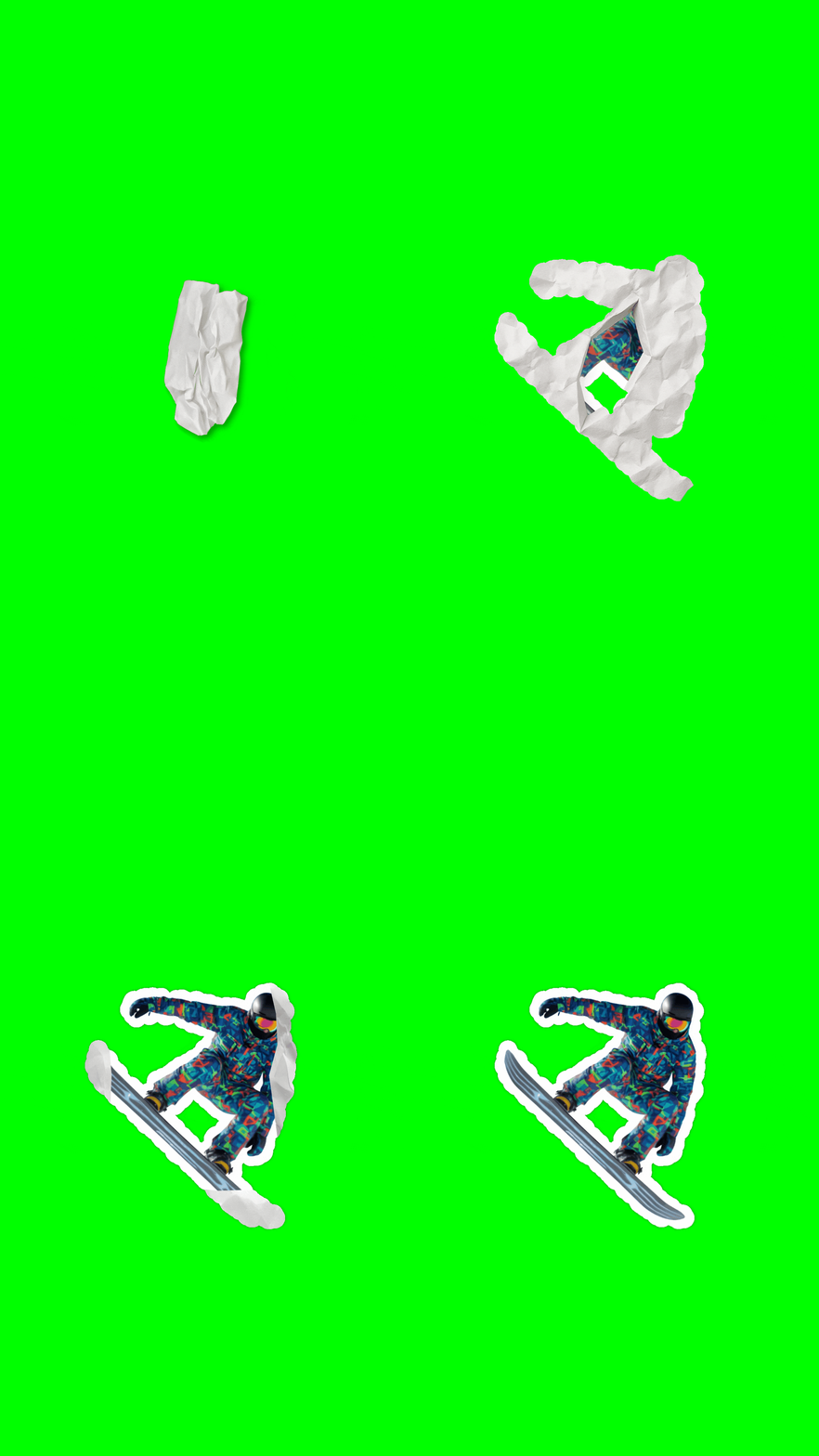
绿幕纸张动画预览,适合导入视频编辑器做合成。
绿幕工作流建议
- Use green screen for moving clips and transparent PNG for static design assets.
- Avoid green subjects when possible; they can be harder to key cleanly.
- Keep motion short and readable if the clip will appear over busy footage.
- Export a quick GIF preview before committing to the final MP4 if a teammate needs to approve the motion.
- 动态视频用绿幕,静态设计素材用透明 PNG。
- 尽量避免主体本身是绿色,否则 keying 会更麻烦。
- 如果背景视频很复杂,纸张动画要短且轮廓清楚。
- 正式导出 MP4 前,可以先用 GIF 给团队确认动效方向。
为什么适合视频编辑者
- It explains when green screen is better than transparent PNG.
- It connects paper animation with chroma key editing instead of treating export as an afterthought.
- It gives editors a reusable paper animation asset for multiple scenes.
- 它说明什么时候绿幕比透明 PNG 更合适。
- 它把纸张动画和 chroma key 编辑流程连接起来。
- 它能生成可在多个场景复用的纸张动画素材。
适用场景
导出选项
- Green screen MP4 for chroma key workflows.
- GIF for quick approval previews before editing.
- Transparent PNG when you need a static companion graphic.
- 绿幕 MP4 适合 chroma key 工作流。
- GIF 适合剪辑前快速预览。
- 透明 PNG 适合搭配使用的静态素材。
常见问题
What is green screen paper animation?
It is paper animation exported on a green background so an editor can remove the background with chroma key.
Can I use the output in CapCut or Premiere?
Yes. Import the MP4, apply chroma key, and place the animation over your footage.
Is green screen better than transparent PNG?
For moving video, green screen is often easier to key. For static graphics, transparent PNG is usually better.
Should I remove the background before green screen export?
If the subject needs cleaner edges, background removal can improve the paper animation before export.
Can I make green screen paper animation from a product photo?
Yes. Product photos work well when the subject is clear and the final clip needs to appear in multiple video scenes.
什么是 green screen paper animation?
它是在绿色背景上导出的纸张动画,方便在视频编辑器里用 chroma key 去背景。
可以在 CapCut 或 Premiere 里使用吗?
可以。导入 MP4 后使用抠像功能,再放到你的视频画面上。
绿幕比透明 PNG 更好吗?
动态视频通常用绿幕更方便;静态图形则更适合透明 PNG。
绿幕导出前要做背景移除吗?
如果主体边缘复杂,先做 background removal 会让纸张动画更干净。
产品照片能做绿幕纸张动画吗?
可以。产品图主体清楚时,很适合做可复用的视频合成素材。
相关指南
制作绿幕纸张动画
生成适合 chroma key 的纸张动画片段,方便放进视频编辑器。