在线生成纸张剪纸效果
好的 paper cutout effect 应该像主体真的从纸上被剪下来,而不是简单贴在模板上。这个工作流重点处理边缘形状、阴影深度、背景移除和可复用导出。
这里的剪纸效果是什么
纸张剪纸效果由主体分离、撕纸边缘、纸张纹理和轻微阴影组成。它可以作为透明 PNG 静态素材,也可以继续加入动效变成纸张动画。
3 步工作流
步骤 1
Upload a subject image
Use a portrait, object, product, or pet image with a clear subject. Background removal helps when the scene is busy.
步骤 2
Build the cutout look
Apply torn paper edges, paper texture, and shadow depth so the cutout feels physical rather than flat.
步骤 3
Export static or animated
Use transparent PNG for design layouts, or generate animated paper output when you need motion for reels, ads, or intros.
步骤 4
上传主体图片
人像、物体、产品或宠物图都可以。背景复杂时先做 background removal。
步骤 5
生成剪纸质感
添加撕纸边缘、纸张纹理和阴影,让 cutout 看起来更有实体感。
步骤 6
导出静态或动画
设计排版用透明 PNG,社媒、广告或开场动画用 MP4/GIF。
效果预览
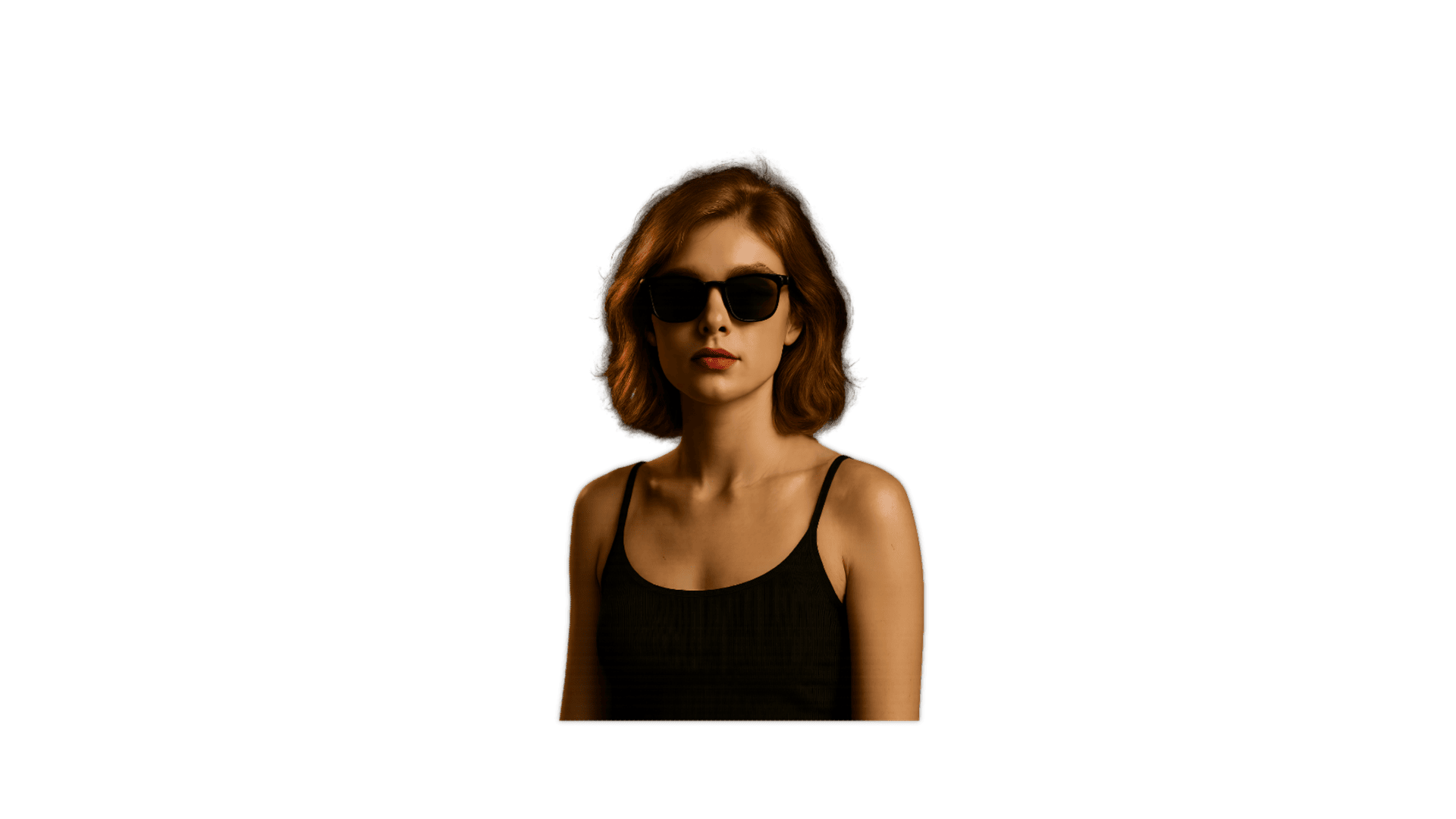

纸张剪纸效果预览,重点检查边缘、主体分离和导出质量。
剪纸效果建议
- Choose images where the main subject is not cropped too tightly; the edge needs room to look like paper.
- Use background removal before cutout styling if the subject blends into the scene.
- Keep shadows subtle. Too much shadow makes the cutout look like a sticker instead of paper.
- For thumbnails or ads, export a transparent PNG first, then create a motion version if the layout needs animation.
- 主体不要裁得太紧,纸张边缘需要留出呼吸空间。
- 主体和背景混在一起时,先做背景移除。
- 阴影不要太重,否则会更像贴纸而不是纸张。
- 做缩略图或广告时,先导出透明 PNG,再决定是否增加动画。
为什么适合剪纸效果需求
- It focuses on the exact paper cutout effect search need instead of broad paper animation language.
- It connects background removal, torn edges, shadow depth, and export choice.
- It works for both static design assets and animated paper versions.
- 它直接承接 paper cutout effect,而不是泛泛讲纸张动画。
- 它把背景移除、撕纸边缘、阴影和导出放在一起。
- 它既适合静态设计,也适合后续 animated paper 版本。
适用场景
导出选项
- Transparent PNG for thumbnails, design tools, landing pages, and overlays.
- MP4 when the paper cutout effect needs motion.
- GIF for lightweight previews and quick approvals.
- 透明 PNG 适合缩略图、设计工具、落地页和叠加层。
- MP4 适合带动效的 paper cutout effect。
- GIF 适合轻量预览和快速确认。
常见问题
What is a paper cutout effect?
It is a visual style where the subject looks cut from paper, with torn edges, texture, and shadow depth.
Can I create a paper cutout effect from a photo?
Yes. Upload a photo with a clear subject, use background removal if needed, then apply the cutout styling.
Is paper cutout effect the same as paper foldout animation?
No. Cutout focuses on the edge and layered paper look. Foldout focuses on the motion of paper opening or revealing.
Can I export a transparent paper cutout?
Yes. Transparent PNG export is useful when you want to place the cutout in another design.
Can the cutout be animated?
Yes. You can use the same visual direction as animated paper for GIF or MP4 output.
什么是 paper cutout effect?
它是一种让主体看起来像从纸上剪下来的视觉效果,包含撕纸边缘、纹理和阴影。
可以从照片生成剪纸效果吗?
可以。上传主体清楚的照片,必要时先做背景移除,再生成剪纸样式。
剪纸效果和折叠动画一样吗?
不一样。剪纸效果关注边缘和层次;折叠动画关注纸张展开或揭示的运动。
可以导出透明剪纸 PNG 吗?
可以。透明 PNG 适合放进其他设计或视频画面。
剪纸效果能做成动画吗?
可以。同一视觉方向可以继续导出 GIF 或 MP4 纸张动画。
相关指南
生成你的纸张剪纸效果
上传图片,把主体变成可静态使用也可动画化的撕纸 cutout。